
Website security maintenance is the routine work that keeps your site from being hacked, defaced or knocked offline: applying software updates, keeping tested backups, protecting logins, enforcing HTTPS and watching for anything unusual. It is a recurring job, not a one-time setup, and the owner of the site is responsible for it, whether they do it or hand it to someone. At Carmasearch, we put it inside our Hosting and care plan, so security updates, backups and monthly site changes are handled for the shop, café, gallery or practice that owns the site.
TL;DR
- Security maintenance is a schedule of updates, backups, access control and monitoring. Skipping it is how most small sites end up with a hacked page or a warning in search results.
- U.S. federal guidance sets the pace: critical vulnerabilities patched within 15 days, high ones within 30, on internet-facing systems.
- A backup only counts if you can restore from it, and copies should live somewhere other than the site itself.
- Security is separate from content work, but the two overlap: an outdated plugin is both a repair job and a risk.
- Our Hosting and care plan starts at €39.99 per month and includes hosting, security updates, backups and monthly site changes.
Table of Contents
- What website security maintenance actually is
- The routine: what gets done, and how often
- Updates: the task that matters most
- Backups: the safety net you must be able to use
- Logins, HTTPS and the rest of the front door
- Monitoring: noticing a problem before customers do
- How security maintenance affects search visibility
- What to look for in a website security service
- How we handle it at Carmasearch
- Building your own routine, owner or not
- FAQ
- Sources
What website security maintenance actually is
General website maintenance is everything that keeps a site healthy: fixing broken links, refreshing text and photos, checking forms, tuning speed. Security maintenance is the part aimed at one outcome: nobody who shouldn't be in your site gets in, and if something goes wrong you can recover quickly.
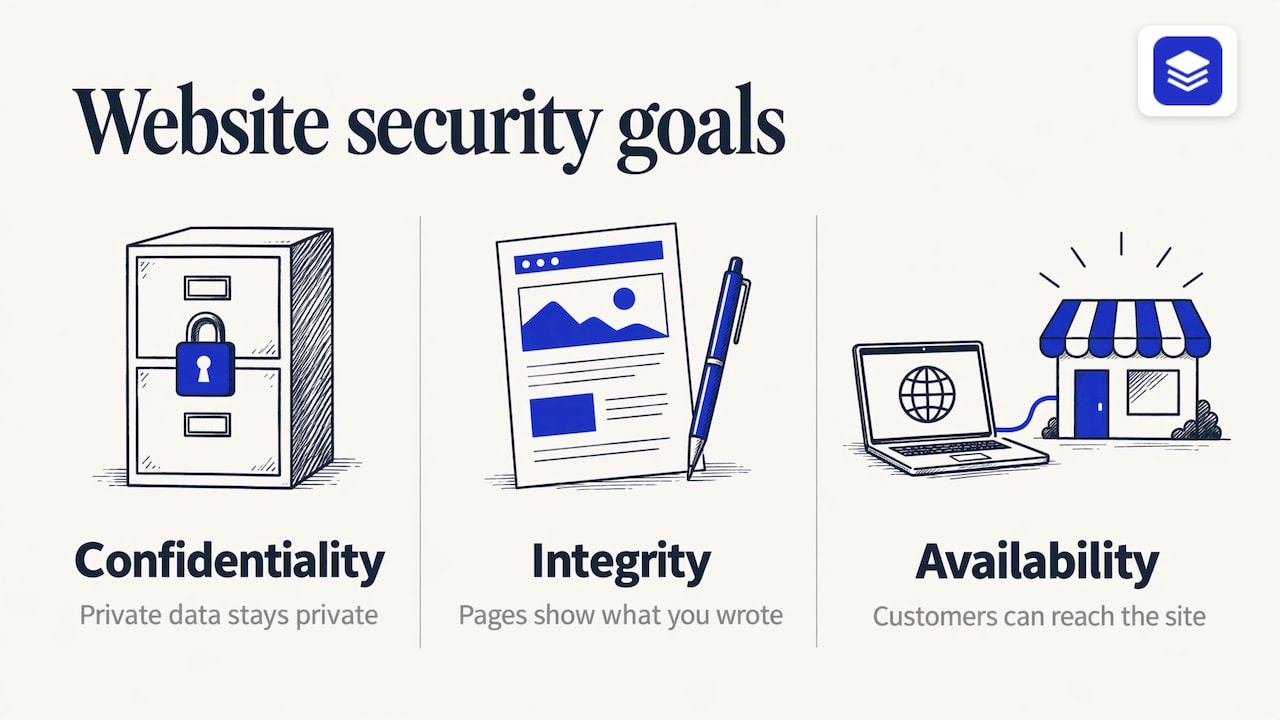
The U.S. Cybersecurity and Infrastructure Security Agency (CISA) describes website security as protecting confidentiality, integrity and availability. In plain terms: private data stays private, your pages say what you wrote and not what an attacker wrote, and customers can reach the site. CISA also notes that victims of defacement, denial-of-service or data breaches can lose money through eroded user trust and fewer visitors. For a small business, the reputational damage often costs more than the technical cleanup.
The same logic applies in other countries. Australia's cyber security agency calls a website a critical business asset that criminals target for financial gain, sensitive information or to disrupt service. Nothing about that changes because the business is small. Automated attacks scan for known weaknesses everywhere, and a shop with an unpatched plugin looks the same to a scanner as a large retailer.
The routine: what gets done, and how often
Government and university guidance agrees on the core list. Here it is as a schedule, with the source for each line.
| Task | How often | What it means |
|---|---|---|
| Apply critical security patches | Within 15 days of release | CISA's timeline for critical vulnerabilities on internet-accessible systems |
| Apply high-severity patches | Within 30 days | Same CISA guidance |
| Check plugin and extension updates | Weekly or bi-weekly, depending on site complexity | IDCARE's guidance for small business sites |
| Back up pages and data | Automatically, with recent copies | Own Your Online advises copies of pages and customer data |
| Test restoring a backup | Regularly | McGill's web security guidelines say to test the recovery process |
| Review logins and admin access | Ongoing, with multi-factor authentication | Australian guidance advises it for administrator accounts |
| Look for unexpected pages or changes | Regularly | Google Search Central recommends the site: operator and the Security Issues report |
None of these tasks is exotic. The difficulty is that every one of them repeats forever, and each depends on someone remembering. That is the real case for handing the routine to a person whose job it is.
Updates: the task that matters most
Most site compromises start with software that has a known flaw and was never updated. That software includes the platform your site runs on, its plugins or extensions, the web server and the libraries underneath. New Zealand's government guide for businesses is explicit that it is the business owner's responsibility to make sure website software is updated and security patches are applied, including content management system plugins and the web server. It recommends automating updates where possible.
Google's own site-owner guidance makes a point that small business owners often miss: a vulnerability in one application can affect the safety of the entire site. A forgotten booking widget or an old gallery plugin counts. Google also advises keeping a list of every piece of software and plugin version on the site, so you know what needs patching when a flaw is announced. Without that list, you cannot answer the simplest question: are we exposed?
A worked example
Say a café runs a menu plugin and a reservation plugin. A flaw is published in the reservation plugin on the first of the month. Under the CISA timeline for critical issues, the patch should be on the live site within 15 days. If the site is checked once every few months by whoever has time, the patch lands late, or never. If someone owns the monthly routine, the fix is applied, the backup is taken first, and the owner never hears about it. That is the point of maintenance: the best outcome is nothing happening.
IDCARE adds a practical rule: always back up before performing updates, because an update can occasionally break something. That is why updates and backups belong in the same routine rather than in separate to-do lists.
Backups: the safety net you must be able to use
A backup protects you from hacks, bad updates, accidental deletions and hosting failures. The guidance has three recurring points.
- Make them automatic. CISA tells operators to use a solution that backs up critical data and system configurations automatically and continuously. Manual backups get skipped.
- Keep copies elsewhere. CISA says to store backup media in a safe, physically remote environment. Own Your Online recommends multiple copies in different secure places, so that if one backup is compromised, you have a spare.
- Test the restore. McGill's guidelines tell site owners to test the backup recovery process to confirm backups can actually be restored. A backup nobody has ever restored is a guess.
Backups should cover both the pages and the data behind them, such as customer records or product databases. For a shop, the product catalog and order history are the part you cannot recreate from memory.
If a site is compromised, Google's guidance on recovery is to restore a backup, then install all available upgrades, patches and updates. Restoring alone brings the vulnerability back with it.
Logins, HTTPS and the rest of the front door
Updates and backups handle the software. The next layer is who can get in and how the connection is protected.
Administrator accounts. Australia's guidance advises enabling multi-factor authentication for administrator accounts, along with strong passwords. Canada's Centre for Cyber Security explains why: in credential-stuffing attacks, criminals take previously stolen credentials and try them against login pages until some match. If an owner reuses one password across services, a leak elsewhere can open the website. The agency recommends continuous monitoring for repeated login attempts and multi-factor authentication on web application logins.
HTTPS. CISA advises enforcing HTTPS with HSTS (a setting that tells browsers to always use the secure version of your site) and disabling weak ciphers such as SSLv2, SSLv3, 3DES and RC4. Chrome's developer documentation describes what browsers flag: non-secure main origins, expired certificates and mixed content, where a secure page loads some resources insecurely. The fix for a non-secure site is redirecting HTTP to HTTPS with a valid certificate. Certificates expire, so renewal belongs in the routine too.
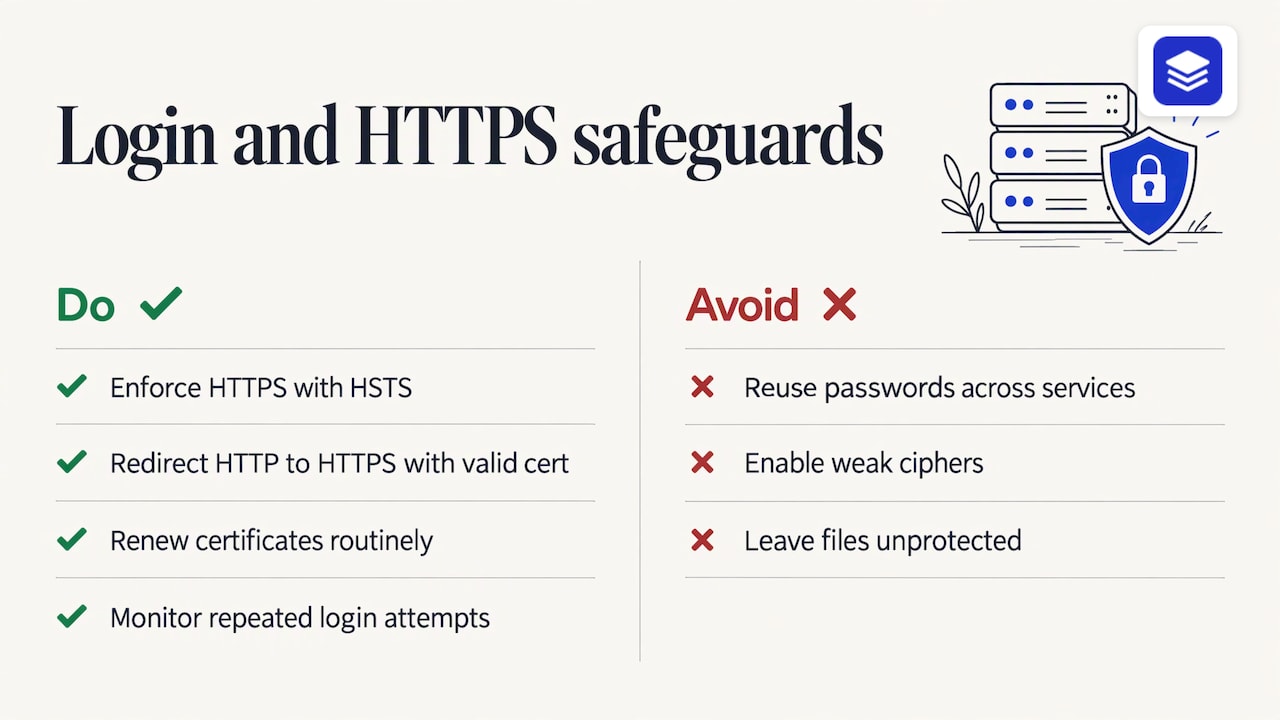
Unused and exposed files. Canada's cyber agency advises reviewing security configurations for unused ports and unprotected files, and treating all user input as untrusted. These are server-level tasks, which is one reason hosting and security maintenance are best kept with the same provider.
Monitoring: noticing a problem before customers do
The worst hacks are the quiet ones: a hidden page selling something unrelated, or a redirect that sends only some visitors elsewhere. Google Search Central suggests several habits for catching them:
- Search
site:yourdomain.comand look for pages you did not create. - Check the Security Issues report in Search Console, and forward Search Console messages to email so a malware notice reaches you quickly.
- Watch log files for unfamiliar URL parameters or sudden traffic spikes.
The Google guidance frames these as part of staying current with patches, not as a substitute for them.
For most small business owners, reading server logs is not realistic. That is a good reason to have the routine owned by someone who works with your site every month, rather than by you in a spare hour.
How security maintenance affects search visibility
A hacked site harms search performance in a direct way. Google's Security Issues report exists precisely because search engines flag compromised pages, and visitors who see a warning rarely stay. CISA's note about decreased visitors after a breach points the same way.
There is a quieter effect too. A site that goes offline during an attack, or that loads slowly because of injected scripts, loses the customers and signals that good rankings depend on. For owners who want to appear well in Google and in AI chatbots, keeping the site clean, fast and available is the baseline everything else sits on. Fresh content and good structure do little if visitors meet a browser warning.
What to look for in a website security service
Searches for website security services and security updates turn up everything from enterprise scanners to monthly care plans. A small business with a brochure or shop site needs a short list. Whoever you hire should be able to tell you, in plain words:
- What gets updated and how soon. Look for a patch window that matches the 15-day and 30-day pace in CISA's guidance, covering the platform, plugins and server.
- How backups work. Automatic, stored away from the live site, recent, and restorable.
- Who holds the keys. Admin accounts with multi-factor authentication, and a clear answer on who can log in.
- Whether hosting is included. Server-level settings such as HTTPS configuration and certificate renewal are controlled by the host. When the same provider handles hosting and maintenance, nothing falls between two parties.
- Who you talk to. When something looks wrong on a Saturday, you want a person who already knows your site.
- Whether content changes are included. Security and routine edits are the same site, and one person seeing both notices more.
One caution applies to every security product: a tool can report a good grade, but no outside check can read everything on the server. Ongoing care by someone with access to the whole setup is what closes that gap.
How we handle it at Carmasearch
We rebuild outdated sites for small businesses such as shops, galleries and cafés. The design and build is a one-off fee of €500 to €900, and it includes migrating your existing text, photos and products, so nothing is lost in the move. After launch, our Hosting and care plan, from €39.99 per month, covers hosting, security updates, backups and monthly site changes.
You work directly with the founder from the first conversation through launch and ongoing care, which means the person who built your site is the person keeping it patched and backed up. The site also includes a simple editor, so you can update your own text and photos without touching anything that affects security. If your current site is outdated, slow or has not been updated in a long time, the rebuild and the care plan can start together at Carmasearch.
Building your own routine, owner or not
Whoever does the work, hold them to a calendar. A workable version for a small site:
- Every week or two: check for plugin and extension updates, taking a backup first.
- Every month: review who has admin access, remove old accounts, confirm backups are running and review any security messages from Search Console.
- Every quarter: restore a backup to confirm it works, and check the certificate and domain renewal dates.
- Whenever a critical flaw is announced: patch inside the 15-day window.
Write down what software your site runs, as Google suggests. That one list turns "are we exposed?" from a worry into a lookup. And have a plan for the day something goes wrong: who you call, where the last good backup is, and who can restore it. McGill's guidelines list a security incident response plan among the basics for exactly this reason.
FAQ
What is the difference between website maintenance and website security maintenance?
Website maintenance is the full upkeep of a site, including content edits, link fixes, speed and forms. Security maintenance is the subset that protects the site from attack and lets you recover: updates, backups, access control, HTTPS and monitoring. In practice the two are done together, because outdated software is both a maintenance issue and a security risk.
How often should website security updates be applied?
U.S. guidance from CISA calls for critical vulnerabilities to be patched within 15 days and high-severity ones within 30 days on internet-accessible systems. For plugins, IDCARE suggests checking weekly or bi-weekly, depending on how complex the site is. Take a backup before each round of updates.
Do small business websites really get attacked?
Yes. Attacks are largely automated and scan for known weaknesses regardless of company size. Australia's cyber security agency describes websites as business assets targeted for financial gain, sensitive information or service disruption, and CISA notes that victims can lose money through lost trust and fewer visitors.
What does a hosting and care plan include?
At Carmasearch, our Hosting and care plan starts at €39.99 per month and includes hosting, security updates, backups and monthly site changes. You work directly with the founder, who built your site and looks after it afterward.
What should I do if my site has been hacked?
Google's guidance is to restore a clean backup and then install all available software upgrades, patches and updates, since restoring alone leaves the original weakness in place. Use the Security Issues report in Search Console to see what Google has flagged. If customer data may have been exposed, speak with a lawyer or your state's consumer protection office about notification duties.
Sources
- Website Security | CISA
- Secure your website | cyber.gov.au
- Protect your website | Own Your Online
- Essential web security guidelines for site owners | McGill University
- Web security for small businesses | IDCARE
- Clean and maintain your site | web.dev
- How To Prevent Malware Infection | Google Search Central
- Security considerations when developing and managing your website | Canadian Centre for Cyber Security
- Security panel | Chrome DevTools